- Softonic Rating:
- Very good:8/10
- License:
- Free (GPL)
- Added:
- February 6, 2008
- Publisher:
- Website
- File size:
- 8.8 MB
- Downloads:
- 318
- DownloadFree (GPL)
“A Quicksilver clone for Windows”
by Elena Santos
In case you don't know, QuickSilver is a popular app launcher for the Mac OS X that enables you to open programs and files with just some quick keystrokes. Now you can have the same functionality in tour PC with MightyBox.
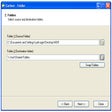
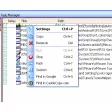
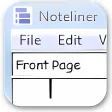
This small app is developed in Java and doesn't require installation. It remains in your system tray, running silently in the background until you trigger it with the Ctrl+Spacebar hotkey. Then you have plenty of options available at your fingertips: open a document, launch an application, move or copy files, browse the folder structure, even write a short note and save it as a text file.
All these options are accessible via hotkeys, which makes MightyBox a must-have for keyboard junkies. These hotkeys are apparently not customizable, or at least I couldn't find a settings window where to change them. Also, it might take a while until you learn how to manage it properly, as it feels quite confusing at the beginning. I personally recommend reading the Basic Use Instructions before giving up on it.
Once you get over the learning curve, MightyBox becomes a truly handy application for your daily work with the computer.

Languages:
English
OS requirements for MightyBox:
- OS: Win2000/XP/2003/Vista
Minimum requirements:
- Java Runtime Environment 6 Update 3
- A faster way to launch apps and open files
- Many other handy functions included
- Confusing to use at the beginning
Featured program
Softonic gives special recognition to software of exceptionally high quality. More information
From the publisher of MightyBox
MightyBox will save you loads of mouse movements and clicks, because it allows you to open apps and files just by pressin Ctrl+Spacebar on your keyboard and type in the name of the app or file you want to launch.
You can also choose the program with which to open files, browse the folder structure, open websites, move and copy files and even type in anything you like and save it as a text file. All these handy functions are presented under a nice interface that resembles that of QuickSilver, the popular Mac OS X app launcher.
Before starting to use MightyBox take a look at the basic documentation to make the most of it.
More MightyBox screenshots
Sponsored Links
Programs similar to MightyBox
MightyBox options
User Rating
1 rating- Usability
-
- Currently 10/10.
- Stability
-
- Currently 10/10.
- Installation
-
- Currently 10/10.
- Functionality
-
- Currently 10/10.
- Appearance
-
- Currently 10/10.
You need to be registered and logged in Softonic to participate in the promotion.
Congratulations!
- badminton
You obtained a new logo for your team.
You already found this logo. Find more logos now!
Your team mate was faster than you this time. Try again tomorrow!